Incorrect Quotes Generator
Type your characters' names, pick a vibe, and turn a hand-written incorrect quote into a shareable card — free, right in your browser.
Explore all toolsMake your first quote ↓
- 511 hand-written templates
- 1–6 characters
- 5 export sizes
- Free, no sign-up
- Runs in your browser
Card studio
Style
Background
Font & layout
Your incorrect quote · d2-01
Character AWhy is there a goat in the living room?
Character BDefine "goat."
Character AThe animal. Eating the curtains.
Character BOh, that's Gerald. Emotional support goat.
Character AFor who?
Character BFor Gerald.
Favorites (0)
Tap the heart on any quote to keep it here. Favorites are saved in this browser only.
Names, pronouns and favorites are stored in your browser. Nothing is sent to a server.
Template wall
Browse every scene in the library. Filter by cast size or vibe, search a word, then press Use this to load it into the workbench above.
Loading scenes…
From input to card
Three cards made with the tools on this site, no sign-up needed. In each one, what you enter is on top and the image you download is underneath. Photos are processed in your browser and never uploaded to a server.
Dialogue to card
You enter
Two names, a prompt from the library, then press Generate until the script lands. Pick the parchment theme and the script layout.
You download
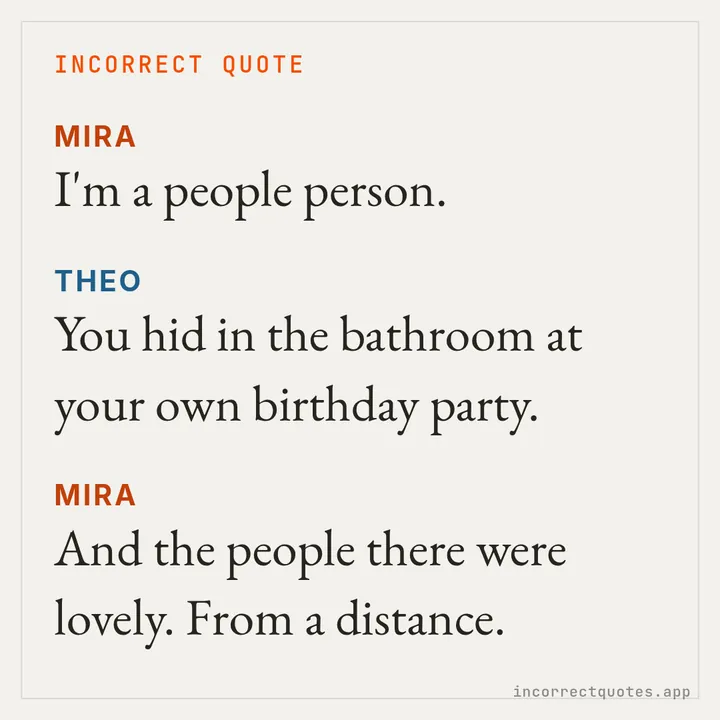
Discord-style screenshot
You enter
Three names and a chat prompt, with the Discord theme. Each line gets an avatar, a name and a timestamp, like a real server.
You download
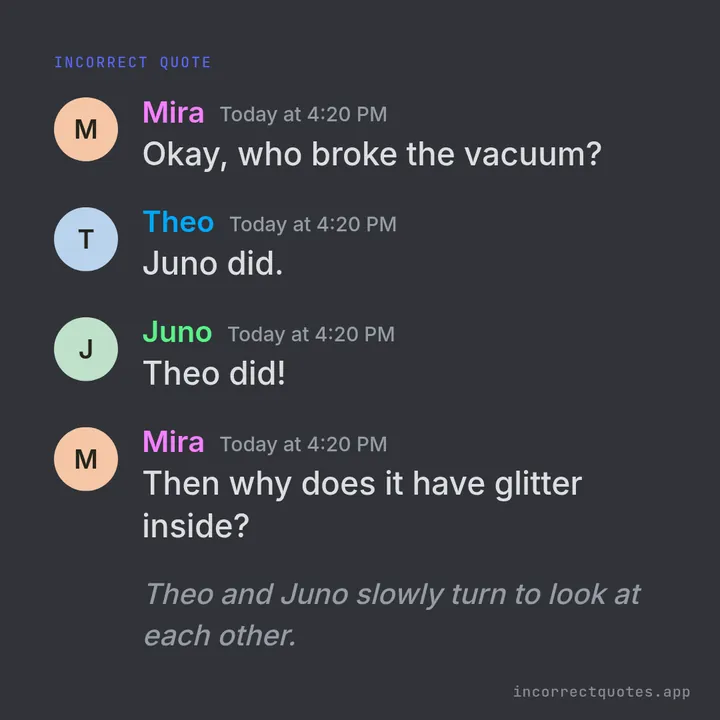
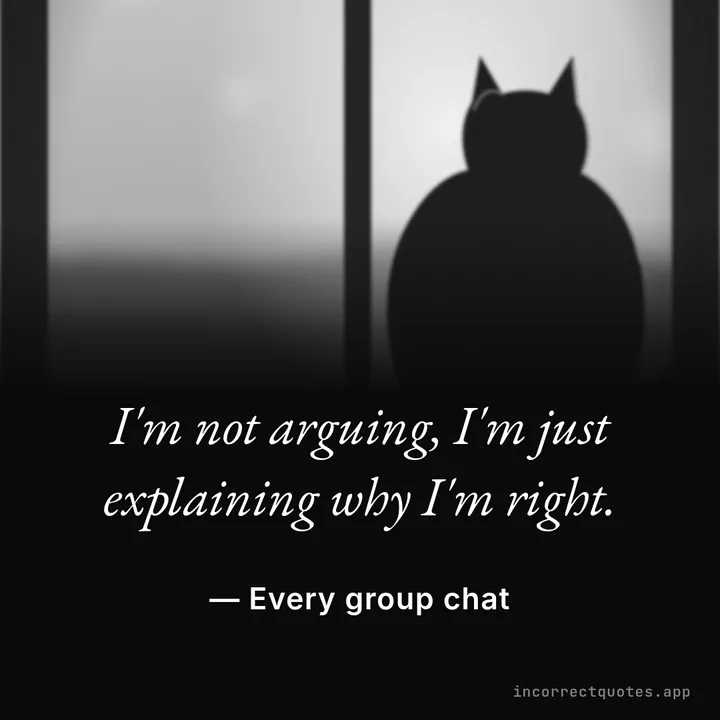
Photo quote
You enter
Choose a photo, type one line and who said it. The photo fades to black and the card can go black and white.
You download
How the incorrect quotes generator works
 01
01Name your cast
Choose 1 to 6 characters and type their names. Use canon characters, OCs, your D&D party or your friends. Add an avatar photo if you like; it is cropped in your browser and never uploaded to a server.
 02
02Set pronouns and a vibe
Pick they/them, she/her, he/him or type custom neopronouns. Verbs agree on their own. Then choose Chaotic, Sarcastic, Wholesome, Romantic, Fantasy, or leave it on any vibe.
 03
03Generate and shuffle
Press Generate. The generator works through every matching template before it repeats one, so pressing it again keeps giving you something new.
 04
04Make it a card
Send the quote to the card studio: pick a size, a theme and a font, then download a PNG, grab all five sizes as a ZIP, share it, or copy the text.
What are incorrect quotes?
Incorrect quotes are short, made-up exchanges that put characters into a joke they never said. The format grew up on Tumblr: someone takes a line from a sitcom, a meme or a family argument, swaps in two characters, and the fandom recognizes exactly who would say it. The joke works because it feels wrong and right at the same time.
An incorrect quotes generator does the swapping for you. This one uses a library of 511 original templates written for 1 to 6 characters, with pronoun placeholders that fill in correctly for every cast. Nothing is written by AI, and your names and photos are processed in your browser instead of being uploaded to a server, so you can play with names from any fandom, any OC roster or any group chat.
What people use it for
Fandom memes
Drop your favorite pairing or found family into a fast, silly exchange and post it to Tumblr, X or a fandom server.
OC introductions
Show how your original characters talk to each other before anyone reads a word of your story.
Roleplay and D&D groups
Put the whole party in one scene. Six-character templates fit a full table, including the bard who keeps making it worse.
Writing warm-ups
Use a quote as a prompt: write the scene before it, the scene after it, or the version where it goes badly.
Group-chat jokes
Type your friends' names, generate, and send the screenshot. The chat-bubble style looks right at home in any group.
Fan art captions
Pair a drawing with a line of dialogue on a matching card, sized for a feed post, a story or a link preview.
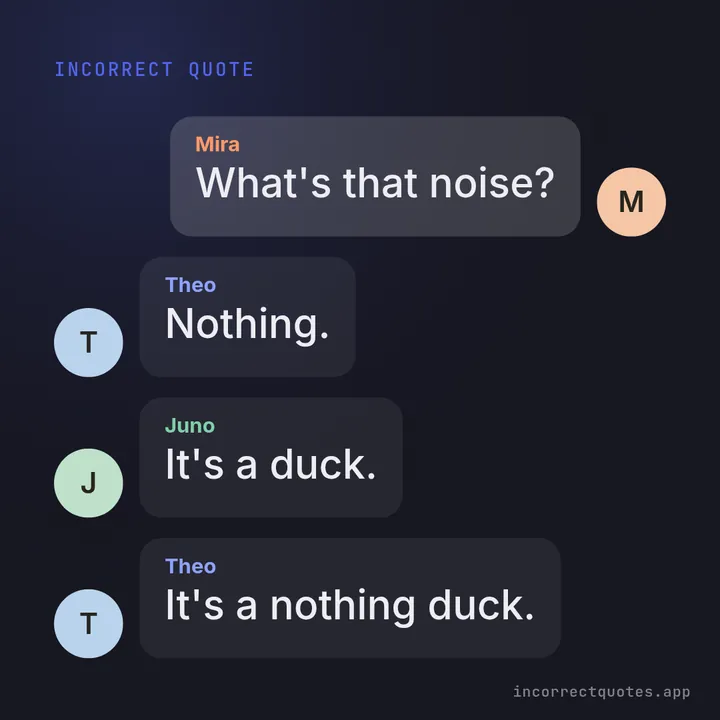
Cards people make with it
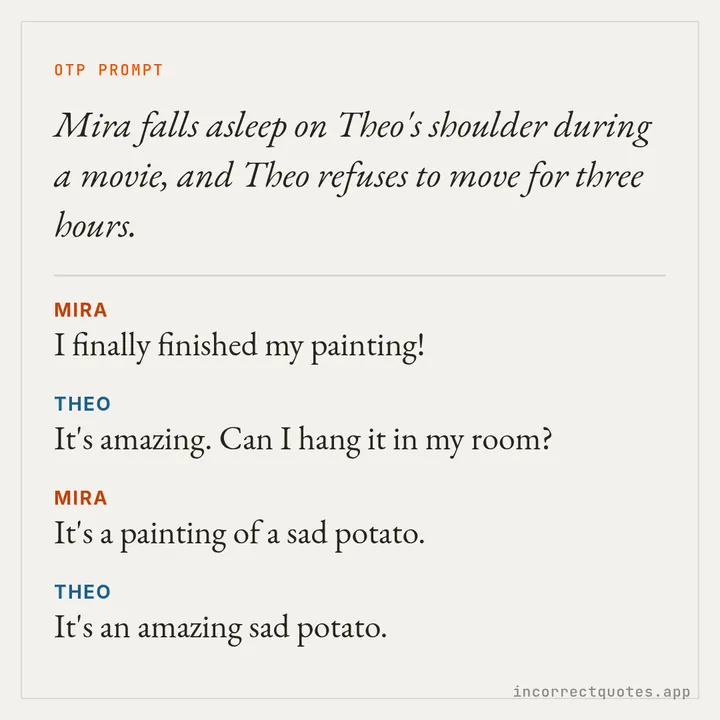
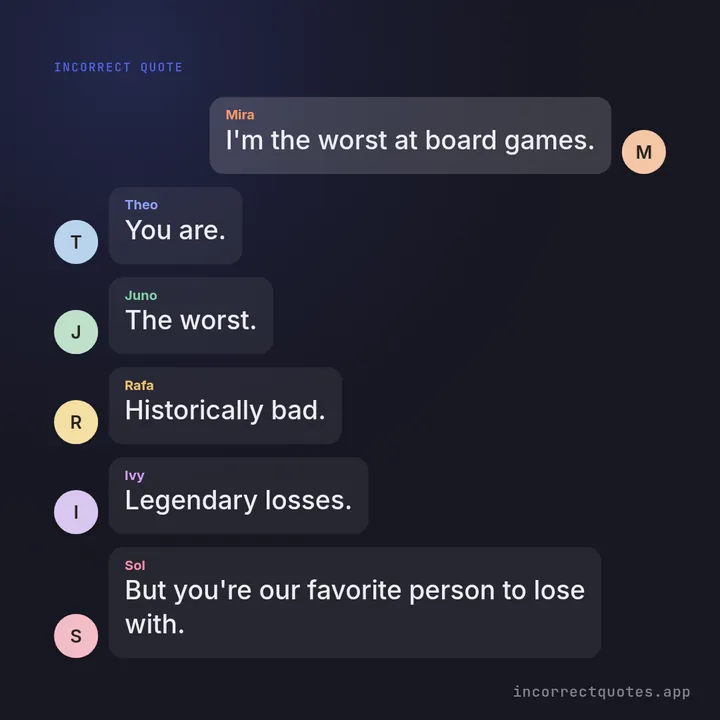
Every example below came out of the studio on this page, with the default watermark left on.
How it compares
There are a few ways to make an incorrect quote. Here is what each one gives you.
| This generator | Writing from scratch | Simple random prompt sites | General design apps | |
|---|---|---|---|---|
| Fills in your names | Yes, up to 6 | Yes, by hand | Usually 2 names | By hand |
| Correct pronouns and verbs | Yes, incl. neopronouns | Yes, by hand | Not always | By hand |
| Fresh results without repeats | Shuffle bag | Depends on you | Random repeats | Not applicable |
| Shareable image | Yes, 5 sizes | No | Rarely | Yes, manual layout |
| Time to first card | Seconds | Minutes | Seconds, text only | Several minutes |
| Account needed | No | No | Sometimes | Usually |
| Data stays on your device | Yes | Yes | Varies | Often uploaded |
Browse the library
Prefer to choose? Every template is listed by cast size, and each one opens here with your names filled in.
More free tools
- Make It a QuotePhoto plus quote in the classic black-and-white Discord style, no bot needed.
- OTP Prompt Generator165 ship prompts in five moods, with an optional dialogue for the pair.
- Dialogue GeneratorRandom scenes as a script, chat bubbles or plain text for your draft.
- Quote Image MakerTurn any line into a clean quote card with gradients and fonts.
- Discord Quote MakerMock up a Discord-style chat with avatars, colored names and timestamps.
- Incorrect Quotes ListEvery template, sorted by cast size, ready to use.
Guides
 What Are Incorrect Quotes? Meaning, Origins and ExamplesWhat are incorrect quotes? Learn where the fandom format came from, how a good one is built, original examples, and how to make your own in seconds.
 What Is Make It a Quote? The Discord Meme ExplainedWhat is make it a quote? How the Discord quote-bot meme works, why the black-and-white style took off, and how to make a quote image without a bot.
 Incorrect Quotes Tips — How to Write and Post Them WellPractical incorrect quotes tips for fandom fans — pick the right cast, nail the pronouns, edit templates, choose image sizes and post with good tags.
Frequently asked questions
Is this incorrect quotes generator free?
Yes. There is no sign-up, no paid tier and no export limit. The small watermark in the corner can be switched off for free.
Where do the quotes come from?
From a hand-written library of 511 original templates for 1 to 6 characters, plus 165 OTP prompts. No AI writes them, and every template is checked by a validation script for structure and PG-13 language.
Can I use custom pronouns or neopronouns?
Yes. Choose custom and type the five forms as subject/object/possessive/possessive pronoun/reflexive, for example xe/xem/xyr/xyrs/xemself. Verbs follow each character's pronouns, so a they/them character gets "they are" while a she/her character gets "she is".
How many characters can I use?
Anywhere from 1 to 6. There are 60 templates for one character, 150 for two, 101 for three, 80 for four, 60 for five and 60 for six.
Are my names or photos uploaded?
No. Names, pronouns, favorites and settings are kept in your browser's local storage, and avatars and photos are processed in your browser, never uploaded to a server. The Clear saved data button removes everything at once.
Which image sizes can I export?
Square 1080×1080, portrait 1080×1350, Story 1080×1920, wide 1920×1080 and link preview 1200×630. You can download one PNG or all five at once as a ZIP.
Can I share straight to my phone's apps?
On phones that support it, Share opens your native share sheet with the image. Elsewhere you can copy the image and open X, WhatsApp, Pinterest, Reddit or Facebook.
Can I pick a specific quote instead of a random one?
Yes. The quotes list shows every template by cast size, and its Use this button opens it here with your cast filled in.
Your cast is waiting
Type a few names and see what they would never say.